Auto Hashtag Generator
Description

Rida Usman
Last Update 2 years ago
Editor Link: https://bubble.io/page?id=chakor-demo-4&test_plugin=1733842915175x165841376727269380_current&tab=Design&name=auto_hastag_generator&type=page
Demo Link: https://chakor-demo-4.bubbleapps.io/version-test/auto_hastag_generator
Instructions to Use the "Auto Hashtag Generator" Plugin
- Install the Plugin in Your Bubble App
- Open your Bubble app editor.
- Navigate to the Plugins tab.
- Click on Add Plugins and search for "Auto Hashtag Generator."
- Install the plugin into your app.
- Open your Bubble app editor.
- Generate and Add Your API Key
- Visit the following URL: https://documenter.getpostman.com/view/2010712/SzS7Qku5?version=latest#intro .
- Follow the instructions on the page to create your API key.
- Copy the generated API key.
- In your Bubble editor, navigate to the Plugins tab and select "Auto Hashtag Generator" settings.
- Paste the API key into the client_id field in the plugin settings.
- Visit the following URL: https://documenter.getpostman.com/view/2010712/SzS7Qku5?version=latest#intro .
- Use the Plugin Actions
- In your workflows, use the "Auto Hashtags" actions:
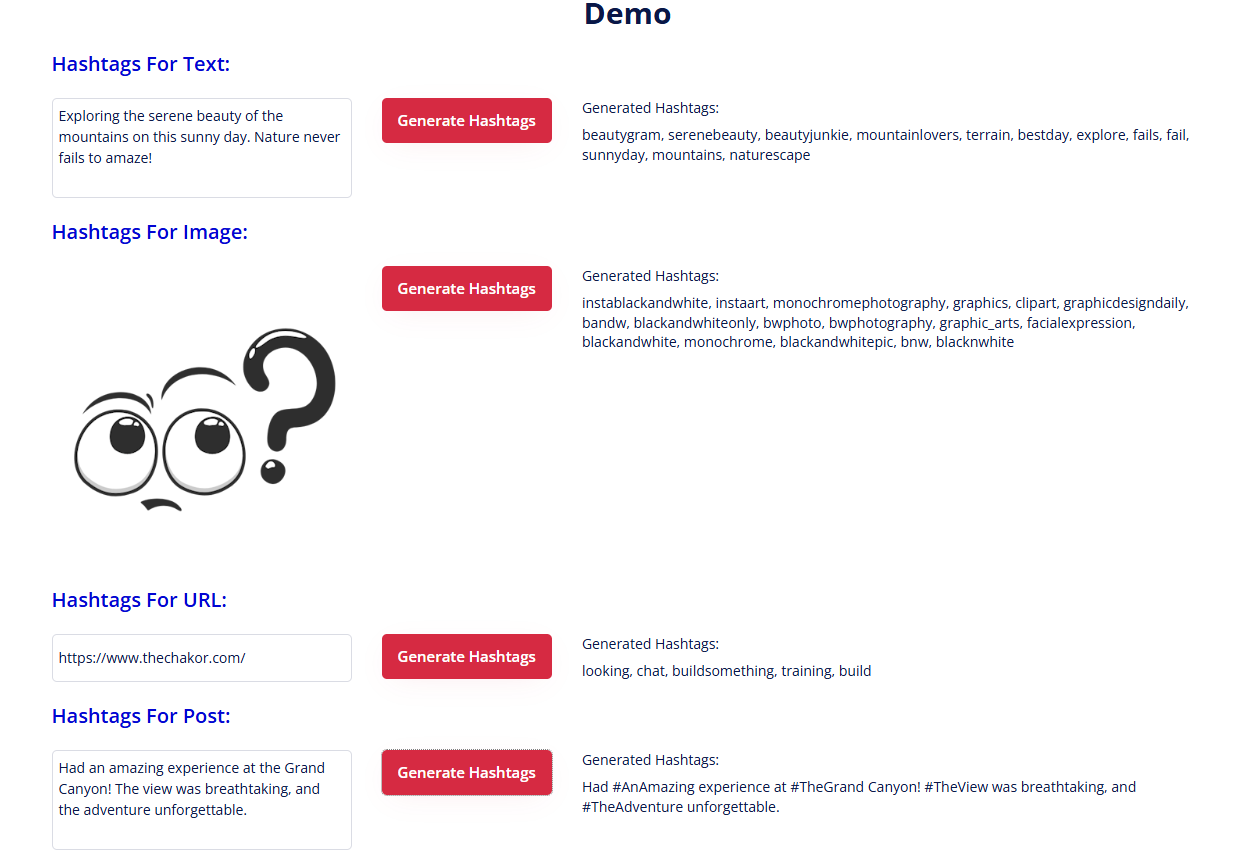
- Auto Hashtag for Text: Generates hashtags from a given text.
- Auto Hashtag for Image: Generates hashtags by analyzing an uploaded image.
- Auto Hashtag for URL: Generates hashtags based on the content of a webpage.
- Auto Hashtag for Post: Generates hashtags for a post.
- In your workflows, use the "Auto Hashtags" actions:
User Interaction
- Run the plugin actions in workflows to generate hashtags based on the provided input.
- The plugin publishes the generated hashtags, which can be displayed dynamically on your page.
- Run the plugin actions in workflows to generate hashtags based on the provided input.
Important Note
- The plugin offers a limited number of free calls. You may need to purchase a plan or service to continue using it after the free limit is reached.